Wastewater
Who Can Sign a DMR in Texas? NetDMR Roles and the Signatory Gap
ComplyFlo · November 3, 2026 · 5 min read
A guide for Texas WWTP operators: who is legally allowed to sign a DMR, why the person preparing it may not be the one who can sign it, and how to close that gap before the deadline.
Who signs your DMR matters as much as the numbers in it. Texas sets its own rule for signing permit reports, and the portal adds a second requirement on top.

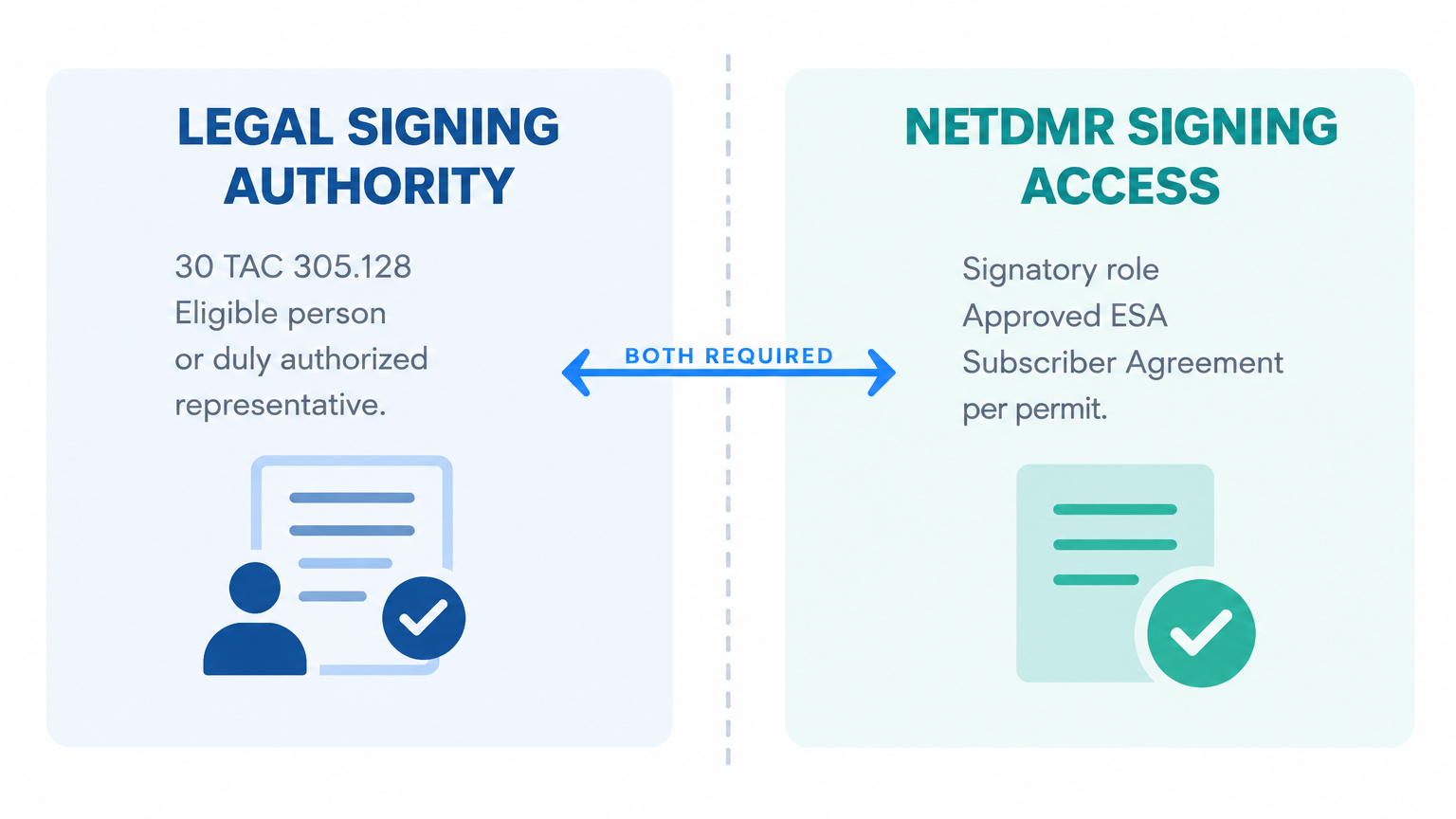
TL;DR: For a Texas permit report, 30 TAC §305.128 allows signature by a person described in §305.44(a) or by that person's duly authorized representative. Federal NPDES signatory requirements also apply. In NetDMR, signing needs the Signatory role, an approved Electronic Signature Agreement, and a permit-specific Subscriber Agreement. Legal authority and portal access are separate requirements, and a report can be ready with no one cleared to sign it.
ComplyFlo prepares a draft DMR package from the readings your operators log through the month, so the signatory reviews a finished report instead of rebuilding one.
Who is allowed to sign a TCEQ DMR?
For Texas permit reports, §305.128 allows signature by a person described in §305.44(a), or by that person's duly authorized representative (30 TAC §305.128(a)).
For a corporation: an eligible responsible corporate officer under §305.44(a)(1), such as a president, secretary, treasurer, or vice-president in charge of a principal business function, or a person with similar policy or decision-making functions. Do not assume the title "plant manager" alone establishes signing authority.
A facility manager meets the responsible-corporate-officer route only where the rule's conditions are met: the facility employs more than 250 people or has gross annual sales or expenditures over $25 million (in second-quarter 1980 dollars), and signing authority is delegated under corporate procedures (30 TAC §305.44(a)(1)).
For a partnership or sole proprietorship: a general partner or the proprietor (30 TAC §305.44(a)(2)).
For a municipality or other public agency: a principal executive officer or a ranking elected official (30 TAC §305.44(a)(3)).
A duly authorized representative can also sign, but only if the authorization is in writing, names an individual or a position responsible for overall operation of the facility or for environmental matters (such as plant manager or environmental manager), and is submitted to the executive director (30 TAC §305.128(a)).
Federal NPDES signatory requirements also apply to these reports (40 CFR §122.22). Legal authority and NetDMR access are separate: an approved account does not replace the required authority or written delegation.
What does the NetDMR Signatory role actually do?
The Signatory role is the permit access level that lets a person sign and submit a DMR, and it is separate from the roles used to prepare data (TCEQ).
NetDMR has four permit access levels: View, Edit, Permit Administrator, and Signatory (TCEQ).
View users can review DMR submissions and Copies of Record and download blank DMRs. Edit users can also enter data. Neither View nor Edit access alone authorizes signing and submission (TCEQ).
Signing starts with the Permittee (signature) user type. That person signs an Electronic Signature Agreement (ESA), electronically or on paper mailed to TCEQ, which TCEQ must approve (TCEQ).
New Signatories also sign a Subscriber Agreement that NetDMR generates for each permit, and the regulatory authority approves it before the person can sign (TCEQ).
What exactly is the "signatory gap"?
The signatory gap is a report that is ready for submission but has no available, legally authorized person with approved permit-specific signing access.
The person preparing the DMR may not be the person authorized to sign it, and the two follow different rules.
Data Provider access, used by some labs and consultants, permits data preparation but not signing (TCEQ).
The gap also covers a pending approval or an absent signatory: the ESA and Subscriber Agreement take time to approve, and the report waits until they are in place.
How do you close the gap before your next deadline?
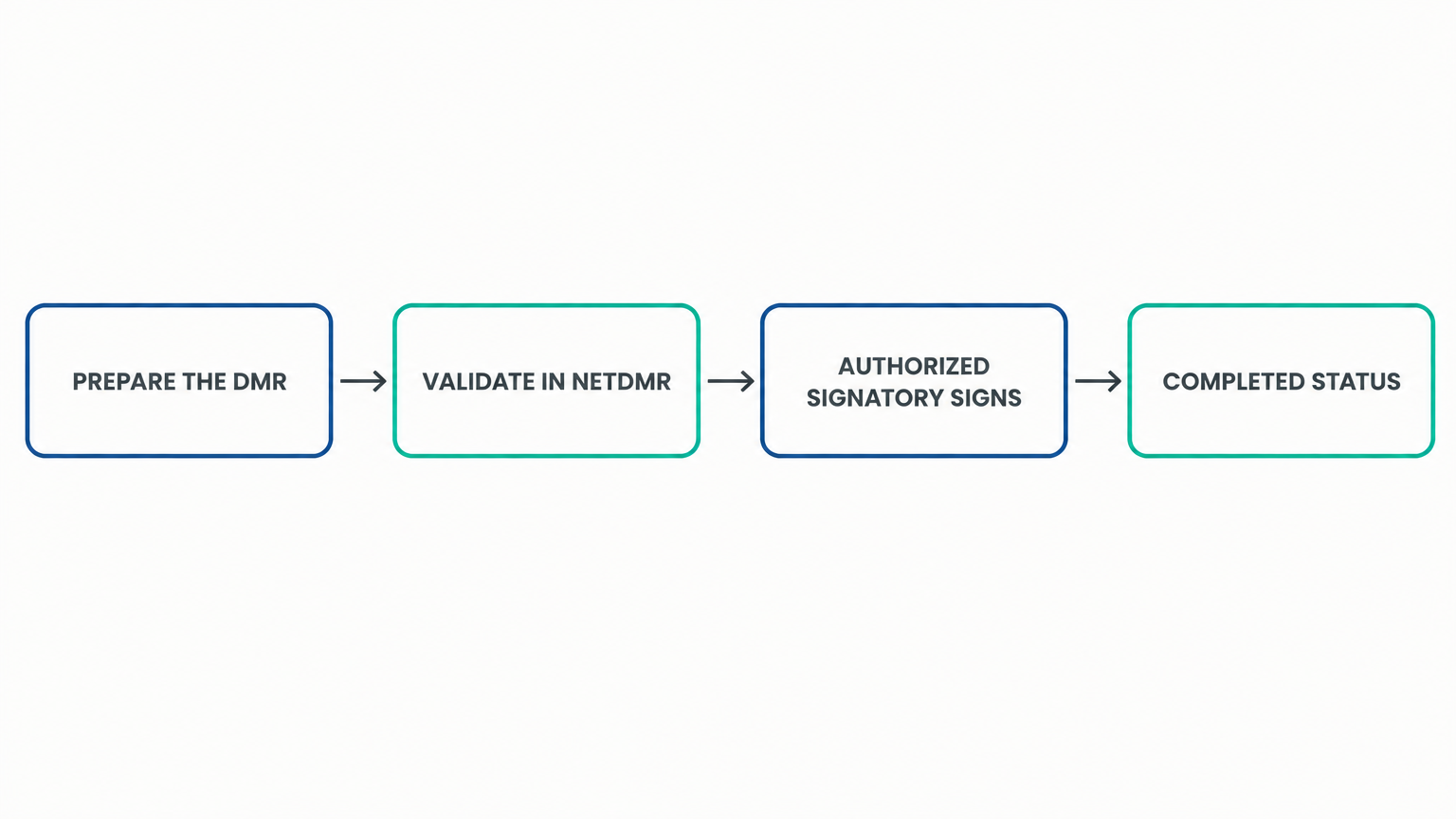
Line up an eligible signatory early, so signing is a review at month-end rather than a permission request on the due date.
Identify who can sign under §305.128, and confirm who already holds Signatory access on each permit (30 TAC §305.128).
Have that person complete the CDX Electronic Signature Agreement and get it approved by TCEQ (TCEQ).
Then request Signatory access to the specific NPDES ID, and sign the NetDMR Subscriber Agreement for each permit (TCEQ).
Name a second person who could take over signing, and start their approval before you need it.
If the due date is close and no eligible person has approved signing access, contact TCEQ's NetDMR Helpline with your permit number and deadline, and ask for instructions. Do not assume the access problem extends the deadline.
What changes when your signatory or their role changes?
Review both the written authorization and the NetDMR access whenever personnel or responsibilities change, because the two move separately.
Texas allows authorization of either a named individual or anyone occupying a specified qualifying position, so a position-based authorization may remain valid when a new person takes that role (30 TAC §305.128(a)(2)).
If the authorization is no longer accurate because of a change in individuals or position, a new authorization meeting §305.128 must be submitted before, or together with, reports signed under the new authorization (30 TAC §305.128(b)).
The new individual still needs their own approved NetDMR access, because signing access is granted per person and per permit (TCEQ).
Remove obsolete access and never share the departing signatory's credentials.
What does a signatory certify when they sign?
Signing is a legal certification, and Texas sets the wording that reports must carry (30 TAC §305.44(b)).
The signatory certifies that the document and attachments were prepared under their direction or supervision, using a system designed to ensure qualified personnel properly gather and evaluate the information (30 TAC §305.44(b)).
Based on inquiry of the people who manage the system or gather the information, it must be true, accurate, and complete to the best of the signatory's knowledge and belief (30 TAC §305.44(b)).
The certification acknowledges significant penalties for submitting false information, including the possibility of fine and imprisonment for knowing violations (30 TAC §305.44(b)).
That is why the signatory needs to see the report and its source records before signing, not just the submit button.
How does a manual signatory handoff compare with ComplyFlo?
Manual reporting leaves the handoff between the data and the signatory until the deadline. ComplyFlo prepares a draft DMR package from the readings your team entered through the month, so it reaches the signatory as a reviewable report.
Signatory step | Manual process | With ComplyFlo |
|---|---|---|
Prepare the report for review | Rebuilt from logbooks and spreadsheets at the deadline | Draft DMR package prepared from approved readings |
See the DMR due date | Wall calendar or memory | DMR due date tracked in Permit Milestones with lead-time alerts |
Catch a value near or over a limit | Noticed at month-end | Flagged against configured limits when entered |
Get the report to the signatory | Emailed on the day it is due | Ready for the signatory's review before the deadline |
Values within configured thresholds still require review against source records and permit-defined calculations. ComplyFlo does not replace the signatory's review or submission.
Frequently Asked Questions
Can a wastewater operator sign the DMR?
Only if they are eligible under 30 TAC §305.128, for example as a duly authorized representative with written authorization submitted to TCEQ, and they hold approved Signatory access in NetDMR (TCEQ).
Does the person who enters the data have to be the signatory?
No. Edit users and Data Providers can enter, view, and import DMR data, but only a Signatory can sign and submit (TCEQ). A Signatory can also prepare the data.
Can a lab or consultant sign our DMR?
Not through Data Provider access. That access permits data preparation, not signing. A consultant could sign only if the individual independently satisfies the applicable duly authorized representative requirements, has the required written authorization submitted to TCEQ, and obtains approved permit-specific Signatory access. A routine data-entry contract or Data Provider account is not enough. Where eligibility is uncertain, confirm it with TCEQ before requesting access (30 TAC §305.128, TCEQ).
What if no one can sign by the due date?
Contact TCEQ's NetDMR Helpline immediately if the due date is approaching and no eligible person has approved signing access. Give them the permit number, the deadline, and the access problem, and ask for instructions. Do not assume the access problem extends the deadline or authorizes an alternative submission method. Complete the required approvals and submit as promptly as possible.
How do you keep signing from becoming your deadline bottleneck?
Sort out signatory access before the reporting month, not on the due date. Confirm who is authorized, complete the ESA and Subscriber Agreement early, and name a backup who is already approved.
Start with the free printable TPDES Permit Compliance Checklist, which covers permit-specific DMR submissions, sampling, SSO reporting, and renewal milestones. Then book a demo to see the DMR workspace on your own parameters.
Operators remain responsible for verifying conversions, completeness, report requirements, and final submission.
Free checklist
TPDES Permit Compliance Checklist
Review permit-specific DMR submissions, sampling, SSO reporting, renewal milestones, and applicable pretreatment responsibilities.
Ready to move your plant logs and reports off paper?
Book a free 1-hour demo with a ComplyFlo team member and see it running on your own workflow.
Book a free demoGet TCEQ compliance updates
Deadline reminders, rule changes, and practical guides for Texas waste operators. No spam — unsubscribe anytime.
By subscribing you agree to receive emails from ComplyFlo. See our privacy policy.