Wastewater
NetDMR Hard Errors vs Soft Errors: What Blocks a Texas DMR and What Doesn’t
ComplyFlo · October 29, 2026 · 5 min read
A guide for Texas WWTP operators: which errors require correction, which warnings require verified acknowledgment, and why validation does not establish reporting accuracy.

TL;DR
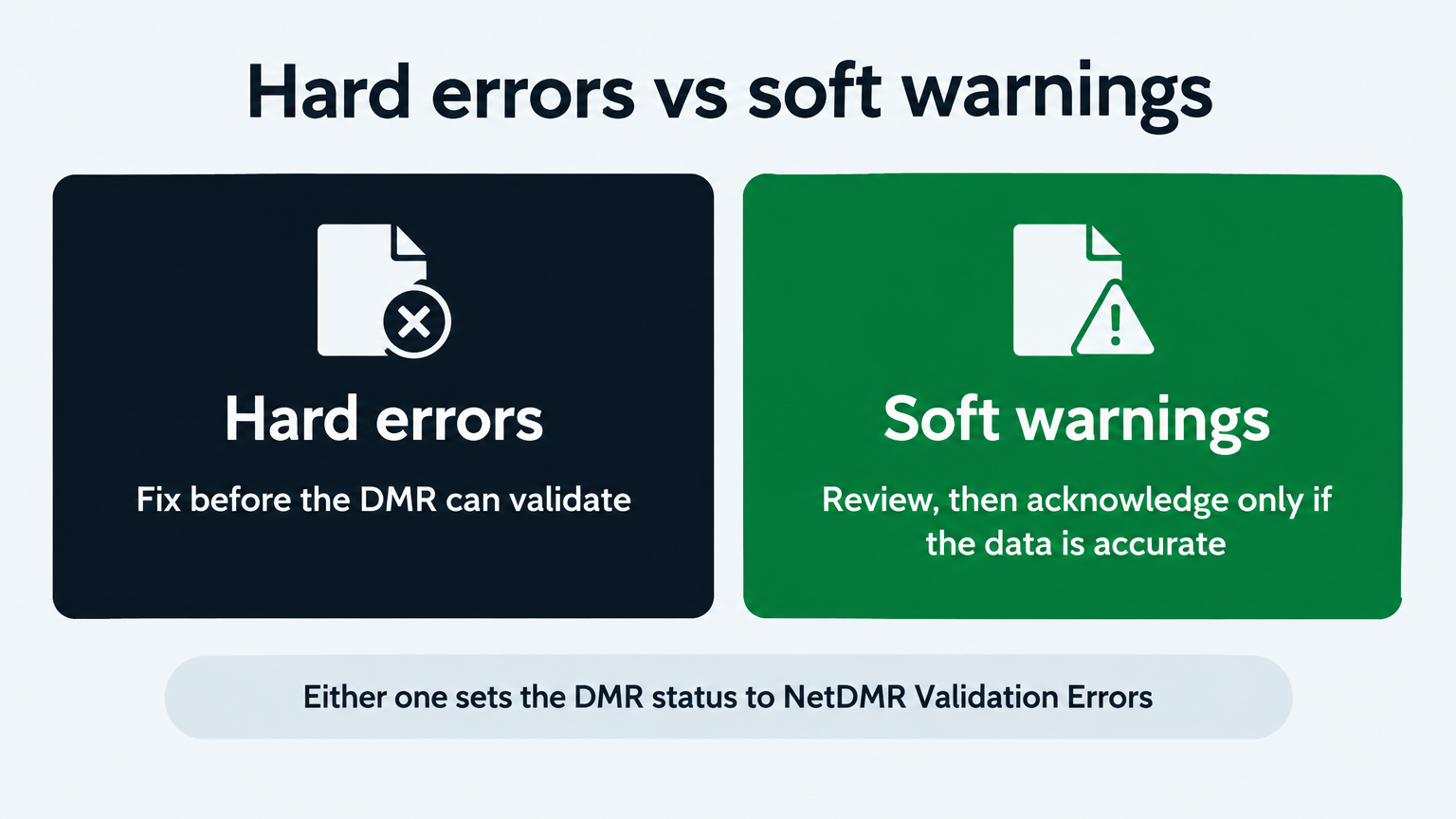
A hard error stops your DMR from validating, so it cannot be signed or submitted until you correct it. A soft error also prevents signing until you review it, but unlike a hard error it can be cleared by acknowledgment when the reported information is accurate.
Hard errors must be corrected before a DMR can be validated, and a DMR must be validated before a signatory can sign and submit it (EPA).
An unacknowledged soft error prevents signing and submission too; unlike a hard error, it does not necessarily require changing the data (TCEQ guide).
When NetDMR finds either type, it sets the report's status to "NetDMR Validation Errors," and only a report with status "NetDMR Validated" can be signed (TCEQ guide).
Common hard errors: conflicting entries in the same reporting field, invalid characters, or an invalid NODI code (EPA).
Common soft errors: a value outside a permit limit, or units that do not match the permit (TCEQ guide).
ComplyFlo prepares a draft DMR package from the readings your operators log through the month, so many of these errors are caught before the report reaches the portal.
What is the difference between a hard error and a soft error in NetDMR?
A hard error blocks the DMR and must be corrected, while a soft error is a warning that blocks signing until you review and acknowledge it.
Hard errors come from the form itself, such as bad characters or conflicting entries, and they are resolved by editing the DMR (TCEQ guide).
A soft error is a warning that the reported data may be wrong or may signal a violation; it is resolved by editing the entry or by acknowledging it (TCEQ guide).
Either type changes the status to "NetDMR Validation Errors," so the report cannot be signed until the hard errors are corrected and the soft errors acknowledged (TCEQ guide).
What causes a NetDMR hard error?
Hard errors come from how the form is filled in, not from the reading behind it. NetDMR blocks the DMR until the entry is correct (EPA).
Conflicting entries, for example a numeric result and a NODI code that apply to the same reporting field.
Invalid special characters, or a character string that is too long for the field.
An invalid NODI code.
Hard errors must be corrected before the DMR can be validated (EPA). If you cannot work out what is causing one, contact the NetDMR Helpdesk rather than guessing (EPA).
What causes a NetDMR soft error?
A soft error is NetDMR flagging something that looks unusual or important, so you can confirm it before submitting (EPA).
A value outside a permit limit.
Units that do not match the permit's units for the parameter.
NODI codes that flag a reporting violation, such as E (analysis not conducted / no sample) or P (lab error or invalid test).
What happens if a required DMR field is left blank?
Missing required values can produce validation errors or warnings and can leave the report incomplete. Follow the specific message NetDMR displays. Enter the required result or an applicable, accurate NODI code; do not acknowledge a warning as a substitute for completing required reporting fields.
Does an unacknowledged soft error block your DMR?
Yes. An unacknowledged soft error prevents the report from being signed and submitted. Unlike a hard error, it does not necessarily require changing the data. What it does require is that you confirm the reported information is accurate before you acknowledge the warning (TCEQ guide).
Where do you see the errors in NetDMR?
You see them in the Edit Check Errors table, which NetDMR fills after you save. Click Save & Continue or Save & Exit at the top or bottom of the DMR form, and NetDMR rechecks the data and lists any hard or soft errors (EPA).
How do you clear a hard error?
You correct the entry that caused it, because a hard error is resolved by editing the DMR, not by acknowledgment (TCEQ guide).
Read the specific edit-check message and correct the identified format, length, invalid character, invalid code, or conflicting-entry problem.
Remove the conflict in the affected field, keeping the required numeric result or the applicable NODI code, as appropriate.
Separately verify units, qualifiers, required statistics, and significant figures against the permit and reporting instructions.
How do you clear a soft error?
You review the warning, then either correct the entry or acknowledge it, depending on what it reflects (TCEQ guide).
If the data is accurate, tick the box to acknowledge the warning (EPA).
If the warning reveals an entry error, such as units that do not match the permit, correct the entry instead. An uncorrected unit error can produce an erroneous violation (EPA).
Verify that a violation-indicating NODI code is the right code before you acknowledge it (EPA).
If it reflects an accurately reported exceedance or an applicable violation-indicating NODI code, preserve the accurate information and follow any separate notification or corrective-action requirements. Do not change a truthful result merely to remove a warning.
How do hard errors and soft errors compare side by side?
The difference is what each error type requires of you (TCEQ guide).
Question | Hard error | Soft error |
|---|---|---|
Does it prevent signing and submission? | Yes, until corrected and the report validates | Yes, until reviewed and acknowledged or corrected |
Must the data change? | The invalid or conflicting entry must be corrected | Only if review identifies an inaccurate entry |
Can acknowledgment alone resolve it? | No | Yes, when the reported information is accurate |
Can a DMR pass NetDMR validation and still be wrong?
Yes, because validation checks the form, not whether the statistic is the one your permit requires. A wrong statistic can pass. An arithmetic average entered where the permit requires a geometric mean may satisfy validation without being correct (EPA).
Electronic validation is not the same as regulatory accuracy. Enter the required result, or an applicable and accurate NODI code, in line with the permit and reporting instructions (EPA).
How does a manual DMR process compare with ComplyFlo?
Manual reporting means catching these errors at the deadline, after the data has already been compiled from logbooks and spreadsheets. ComplyFlo prepares a draft DMR package from the readings your operators entered through the month.
DMR step | Manual process | With ComplyFlo |
|---|---|---|
Capture the reading | Paper logbook, re-keyed later | Logged from a phone or tablet with the sample time |
Calculate the statistic | Hand formulas or spreadsheets | Calculated using permit-defined statistics |
Catch a missing or conflicting field | Found when NetDMR rejects the form | Missing or conflicting reporting fields flagged during draft-package review |
Catch a value near or over a limit | Noticed at the deadline | Flagged against configured limits when entered |
Build the monthly DMR | Rebuilt at the deadline | Draft DMR package prepared from approved readings |
Values within configured thresholds still require review against source records and permit-defined calculations.
Frequently Asked Questions
Can I submit a DMR with a soft error?
Yes, once you acknowledge it. NetDMR signs and submits a DMR only when it has status "NetDMR Validated" and all soft errors are acknowledged; if the warning points to an entry error, correct the entry instead (TCEQ guide).
Why won't NetDMR let me sign my DMR?
Because the report has not reached "NetDMR Validated" status. Any hard or soft error sets the status to "NetDMR Validation Errors," which cannot be signed; resolve all hard errors and acknowledge all soft errors first (TCEQ guide).
What is a NODI code?
A NODI (No Data Indicator) code explains why a required value is not reported, such as C for No Discharge. Enter the required result or an applicable, accurate NODI code, and never use one in place of a result you have (EPA).
Does a soft error mean my DMR is wrong?
Not always. A soft error flags something to confirm, such as a value outside a permit limit or units that do not match the permit. If the data is accurate, acknowledge it; if it is not, correct it (TCEQ guide, EPA).
How do you stop hard and soft errors before they reach NetDMR?
You clean the data before it reaches the portal, so the deadline becomes a review instead of a scramble. ComplyFlo builds the monthly DMR package from the readings your team logs all month, ready for NetDMR with one-click export (ComplyFlo).
Start with the free printable TPDES Permit Compliance Checklist, which covers permit-specific DMR submissions, sampling, SSO reporting, and renewal milestones. Then book a demo to see the DMR workspace on your own parameters.
Operators remain responsible for verifying conversions, completeness, report requirements, and final submission.
Free checklist
TPDES Permit Compliance Checklist
Review permit-specific DMR submissions, sampling, SSO reporting, renewal milestones, and applicable pretreatment responsibilities.
Ready to move your plant logs and reports off paper?
Book a free 1-hour demo with a ComplyFlo team member and see it running on your own workflow.
Book a free demoGet TCEQ compliance updates
Deadline reminders, rule changes, and practical guides for Texas waste operators. No spam — unsubscribe anytime.
By subscribing you agree to receive emails from ComplyFlo. See our privacy policy.